Security / One Medical
Security · Found in the wild
Found in the wild: an authentication bypass in One Medical’s iOS app
April 2021. No tools, no jailbreak — just failed Face ID attempts and screen recording turned on.

1What happened
When you bring the One Medical app back from the background, it should ask for Face ID again before showing anything. Instead, after failed Face ID attempts, it flashed the last screen you’d viewed for about a quarter of a second: authentication bypassed. With screen recording on, that flash can be captured and read frame by frame.
That means anyone with access to the phone — a roommate, another household member, or worse — could capture the last private message, chart or test result its owner was looking at.
2The recording
My 8-second recording, with the One Medical staff member’s name blurred. For about a quarter of a second after Face ID fails, the app shows One Medical’s own security thread about my report.
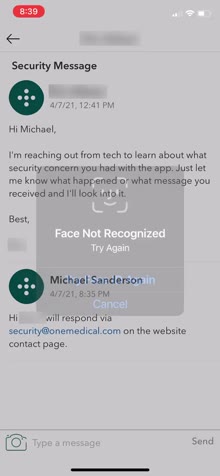 5.59 s Face ID fails; the thread shows through
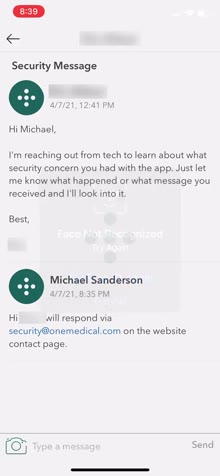 5.64 s The dialog fades
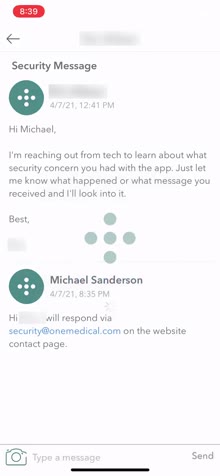 5.71 s The thread, fully readable
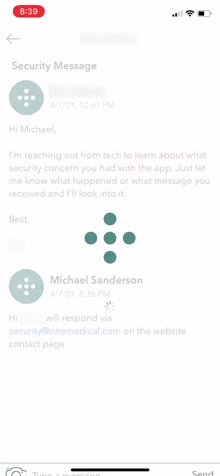 5.79 s Fading from 1 toward 0
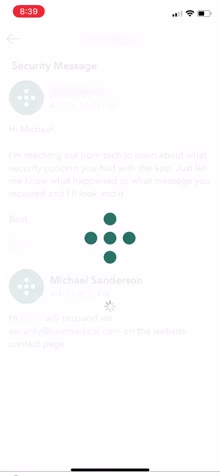 5.84 s Nearly gone
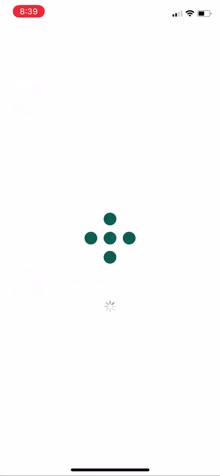 5.89 s Gone; login loads
3The cause
Almost certainly a hard-coded fade from 1 to 0. Animate from the current value, not a fixed one.
4The real lesson
The data shouldn’t have been in memory at all. When authentication is withdrawn, tear the screen down; rebuild it only after Face ID unlocks the key from the Secure Enclave.
5Disclosure
I reported it in the app’s messages, One Medical’s tech team followed up the same day, and I responded through their security contact. They fixed it.